Sound stays in stereo during calls
A Mic switch turns off Windows' hands-free profile: the headphones keep stereo sound when Teams, Discord or Zoom open the microphone.
A Windows 11 app to control Sony WH-1000XM4 headphones from your PC, without Sony's mobile app.
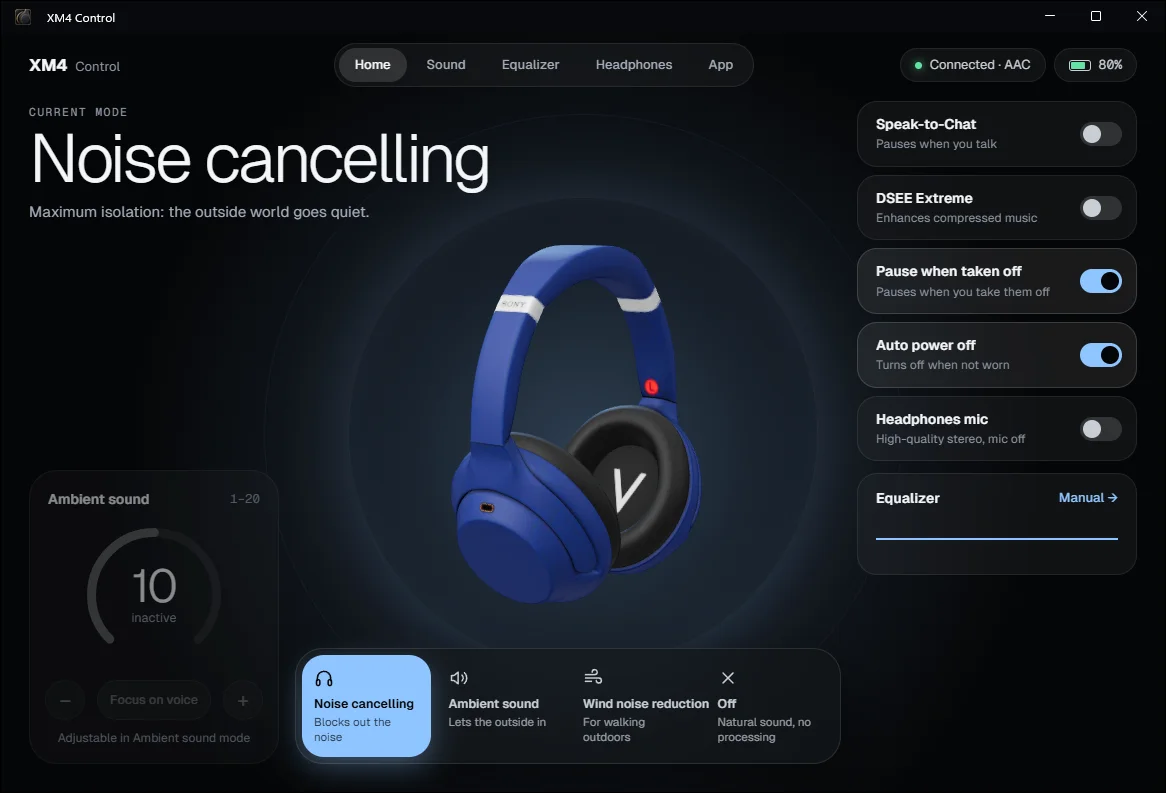
Sony only offers its Headphones Connect app, now Sound Connect, on phones. On a Windows PC, there's no way to switch modes or adjust the equalizer.
And as soon as a video call opens the microphone, Windows switches the headphones to hands-free mode and the sound degrades. xm4-control solves both problems with a real desktop app.
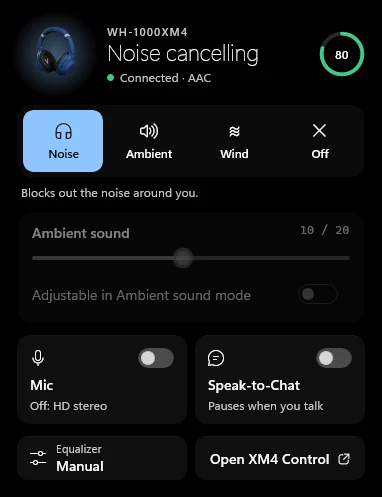
A Mic switch turns off Windows' hands-free profile: the headphones keep stereo sound when Teams, Discord or Zoom open the microphone.
A native panel above the clock shows the mode and battery, and gives access to noise canceling, ambient sound and the equalizer. The Ctrl + Alt + N shortcut cycles through the modes.
Five-band equalizer and Sony presets, Clear Bass, NC Optimizer, Speak-to-Chat, DSEE Extreme, pause when you take the headphones off, battery alert at 20%.
The xm4 tool controls the headphones from a terminal.
xm4 ncxm4 eq BassBoostxm4 mic offDay to day, I write Java and TypeScript. C#, .NET and WinUI 3 aren't part of my stack, and I don't claim to master them.
I relied on Claude Code to learn this ecosystem as the project went along, while keeping control of the architecture and the technical choices. That's how I use AI: not to code for me, but to take on a new subject without waiting to know everything.
Download Xm4Control.exe from the GitHub Releases and run it: .NET is included, there's nothing else to install.